Android Agent
You type a task, a model drives the phone.
Pretty much all of the text on this page besides this section is AI-generated, so if you only read one thing it should be this.
This app is a really awful Computer Use/Cowork-type thing, but for Android.
For years now, I feel like I've been seeing the same demo of AI being able to open Uber and book a ride or book hotels or whatever, but that future never arrived.
(There are some practical, technical reasons for this, mainly to do with security and privacy, but those problems also exist for Computer Use/Cowork (they're worse, in fact, in a lot of ways).)
So... here you go, I present to you: the future. You may now book hotels through a much less predictable interface.
Despite making this and using it myself, I do not recommend anyone else use this, but I believe that, at least, it should exist so that you may choose to use it if you want. Have fun!
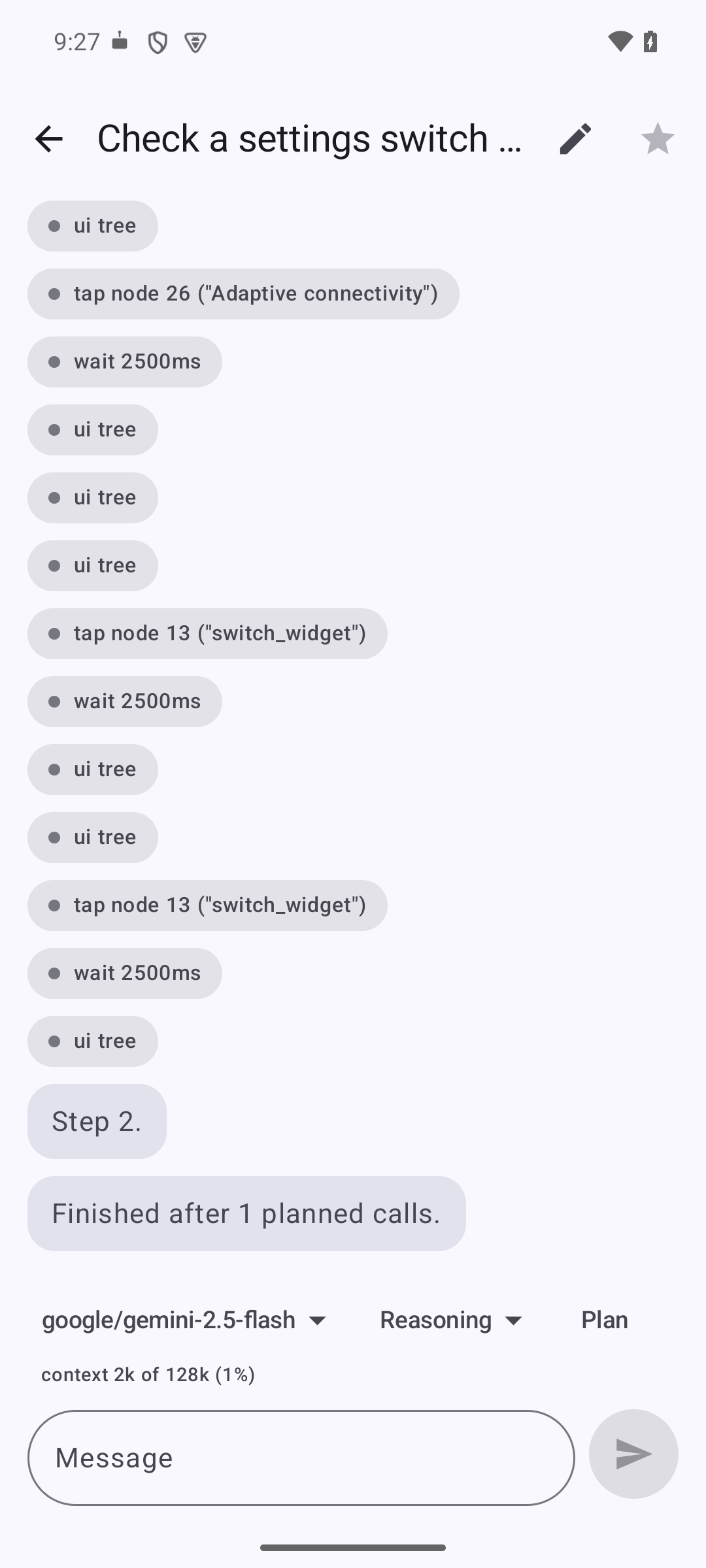
Both recorded on a real phone, and nothing is cut from either. Neither task has an API, an integration or an export behind it: the agent is reading the same screen you would and tapping the same buttons.
How it works
It works in any app on the phone, without that app knowing or cooperating, because it uses the accessibility system a screen reader uses: it can read every window on screen and tap anything in it. Nothing is installed on a computer, and the phone does not need to be rooted.
You give it a task in plain words. It reads the screen, decides on one action, takes it, then reads the screen again, until the task is done or it needs to ask you something.
It runs on your own API key against whichever OpenAI-compatible endpoint you point it at. There is no account, no backend behind it, and no telemetry. Your screen goes to the provider you choose and to nobody else, unless you add an MCP server, which is the one way anything reaches a second destination.
Installing
- Download the APK and open it. Allow your browser or file manager to install unknown apps.
- Launch it and give it an API key. OpenRouter by default, or any OpenAI-compatible endpoint. The model needs to be able to use tools and to accept images, or it cannot act on the phone or see the screen.
- Settings, then Accessibility, then Android Agent, then on. If the switch will not move, Android is blocking it because the app was sideloaded: press and hold the app icon, open App info, then the three-dot menu, and choose Allow restricted settings. The switch works once that is enabled.
- Allow the status indicator and notifications. Both are optional, but with both off the agent can only ask you something while you are looking at the app.
Coming back after a reinstall, or setting up a second phone? The first screen has a restore link. A backup file carries your key, so you can skip step 2 entirely.
Every build is signed with the same key, so a new version installs straight over the old one and keeps your chats and settings. An APK from anywhere else will refuse to install over it, which is the intended behaviour: it is not the same app.
What it can do
- Work in any app on the phone, including ones that have no API and no integration.
- Read the screen the way a screen reader does, by its labels, so it finds the right button rather than guessing at a position.
- Tap, long-press, swipe, scroll, type, and press back, home or recents.
- Keep a checklist through a long task, so you can see what it thinks is left.
- Stop and ask you when it is stuck, or when the choice is yours to make.
- Reach things that are not on the phone at all, through an MCP server you configure.
What it cannot do
- See banking, payment or DRM screens. Android blanks those to anything recording or reading the screen, this app included.
- Act while the phone is locked or the screen is off.
- Tap Android's own permission pop-ups. Those you answer yourself.
- Work inside the handful of apps that refuse to run at all while any accessibility service is switched on.
When it hits one of these it says so, rather than reporting a step it did not take.
Why it is not on the Play Store
Google's policy allows the accessibility APIs only for apps that exist to help users with disabilities. An app that uses the same APIs for general automation does not qualify, whatever it does with them. So the only way to distribute it is sideloading, and the only way to install it is to allow your browser or file manager to install unknown apps.
That cuts both ways, so it is worth being plain about it: you are installing something that can read and tap anything on your screen, from a download rather than from a store review. The controls below are in the app because of that, not in spite of it.
Deciding what it is allowed to do
Three layers, checked before every action.
Rules
Standing limits you write once, for the places you never want it going and the things you always want to be asked about. One per line, first match wins:
deny * in com.*bank*, ask type_text matching (?i)password|otp,
allow tap in com.android.settings.
They apply whether or not anyone is watching the phone, which is the point of writing them down rather than deciding in the moment.
Approval mode
Never ask, ask before risky steps, or ask before every step. The middle one is the default. Three things count as risky: a button whose label sounds irreversible, such as send, pay, delete, post or confirm; a money or password app in the foreground; and any MCP tool, because those act somewhere other than this phone.
Answering "Always" turns that decision into a rule, scoped to the app it was granted in, so you are asked once rather than every time.
Plan mode
Turn it on for a chat and the agent can look but not touch. It reads the screen, tells you what it intends to do, and waits. Nothing it could act with is available to it until you approve the plan, so this is something the app enforces rather than something the agent is asked to respect.
Features
Chats
A follow-up carries on the real exchange rather than starting over, a run the system killed can be picked back up where it stopped, and long-pressing any message copies the chat up to that point into a new one, so you can try a second approach without losing the first. All three work because a chat is a log of what happened rather than a summary of it.
Two models
Set a second, cheaper model and the run uses it for mechanical steps, tapping and looking and waiting, then goes back to the chosen model to plan, to recover from anything unexpected, and whenever you say something. In testing that was the difference between $0.07 and $0.016 for the same task.
Scripts
Some steps cannot be decided in advance: tapping a toggle that is already on turns it off, and a list has to be scrolled until the thing appears, however many swipes that takes. The agent can write a short Lua script and run it on the phone instead of paying a round trip to the model between every pair of taps.
phone.open("Settings")
for _, want in ipairs { "Wi-Fi", "Bluetooth", "NFC" } do
  local node = phone.waitFor({ text = want }, 4000)
  if node then phone.ensure({ text = want }, true) end
end
Every action inside a script is checked the same way as one the model asked for directly, so your rules and your approval mode apply to each tap in a loop, and each one lands in the chat log. A script is a way of deciding which actions happen, never a way of taking one that would otherwise have been refused.
It is a small language on purpose. String, table and maths functions, and the device functions, and nothing else: no files, no network, no way to load more code. Those are not restricted, they are simply never there. A script stops after 120 actions or 90 seconds however it loops, and it cannot catch that limit and carry on.
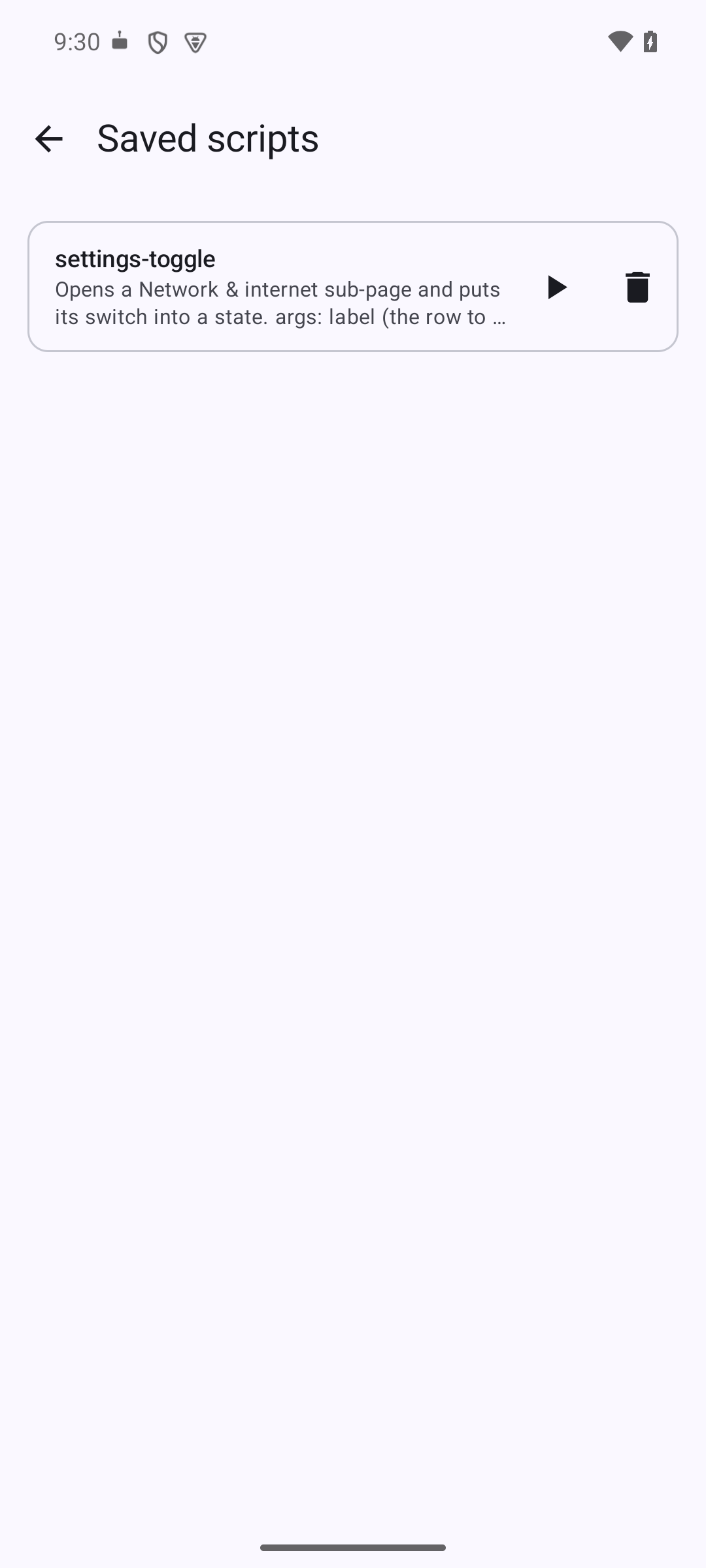
Saved scripts
A script the agent writes on the spot disappears when the chat scrolls, so the next time you ask it works the whole thing out again. Saved under a name, it can be called instead, which is a fraction of the cost and already known to work. The agent only carries the names and descriptions around with it, so keeping twenty costs nothing until one is used. A script that will not run is refused when it is saved, rather than failing later inside something that was relying on it.
Running a script yourself
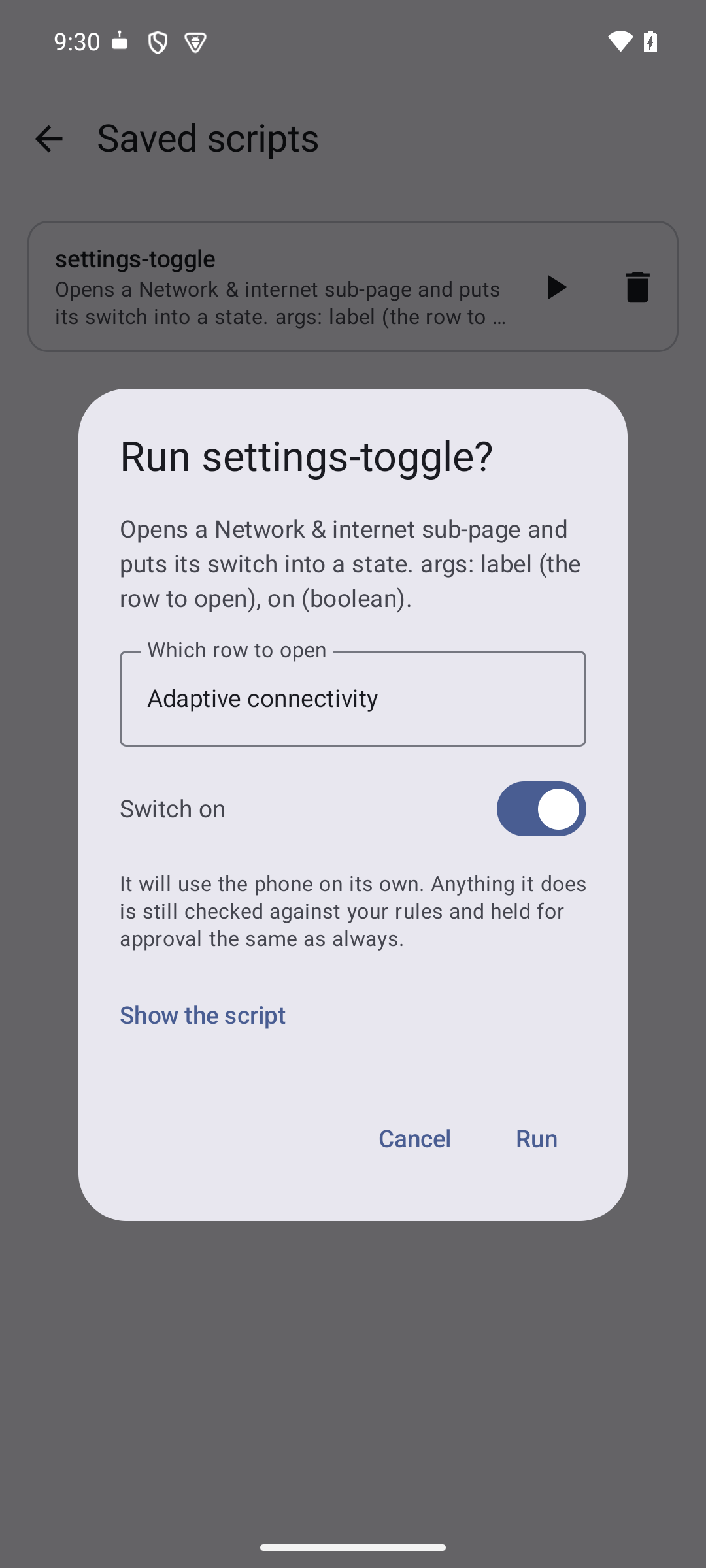
Each saved script has a play button, under Settings, then Saved scripts. A script says which values it needs, so you get a form rather than a blank box: a switch for a yes-or-no, a field for a name. Nothing is sent anywhere and nothing is charged, because the script already says what to do. What it does on the way is approved and recorded exactly as if you had asked for it in words.
Saved tasks
The things you ask for repeatedly, kept so you do not retype them. Choosing one opens a new chat with the task already written and waiting, in case this time needs a detail changed.
Playbooks
What you would tell someone using one app for the first time: where the button actually is, what the confirmation looks like, what to avoid. It makes the agent reliable somewhere it was clumsy. Only the name is loaded until that app is in front, so knowing twenty apps costs no more per task than knowing one.
MCP servers
Tools that are not on this phone, sitting alongside the ones that are, so the agent can look something up or reach another system in the middle of a task. Any server you can reach over HTTP, with a bearer token or without one. Servers that expect you to sign in through a browser, or that run as a local program rather than over the network, will not work here.
Status indicator
A small card that floats over whatever app the agent is working in. It says what the agent is doing, asks you before anything irreversible, and carries a stop button, so you can follow a run and halt it without returning to the app. Questions also reach your notifications, and turning on one or the other matters: with both off, the agent can only reach you inside the app.
Backup and restore
There is no backend, so a reinstall would otherwise be total loss and a second phone would start from nothing. Settings, then Back up and restore, writes one file holding everything: chats with their full history, scripts, saved tasks, playbooks, rules, memory, servers and settings. Opening that file on another phone brings it all across, and the first-run screen offers the same thing, because someone reinstalling already has their key in the file.
Importing merges rather than replaces. New entries are added and anything sharing an id is updated, so opening a backup on a phone already in use never deletes what was only there. The API key and any server tokens travel by default, since a restore without them cannot reach a provider, and you can leave them out when the file is going somewhere you would not put a password.
Diagnostics
One file holding the current chat, your settings and which permissions are granted, for sending with a bug report. Under Settings, then Diagnostics. It never includes your API key, any server token, or anything typed into a password field.